Introducing Text Transforms
The new Transform tool in I Write Like adds 32 useful text transformations that you can apply to your text with a single click.
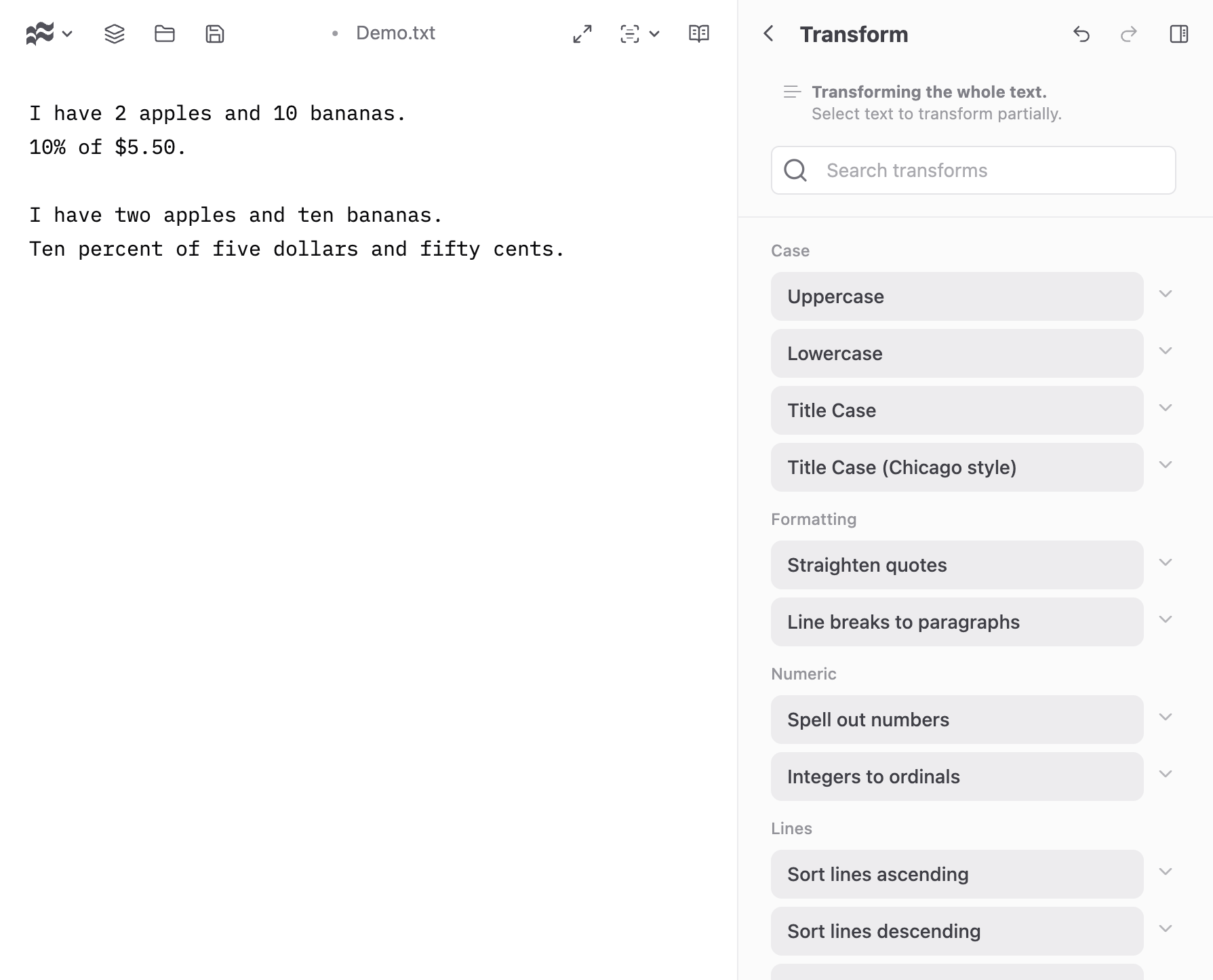
You can apply transforms to the entire text or only to the selected portion.
When using transforms, click on the arrow next to each button to see a description and example of the transformation.
We’ve added Undo and Redo buttons to the toolbar for easy reversal of the transforms.
List of text transforms
Case conversion
Uppercase. Convert all letters to uppercase.
Lowercase. Convert all letters to lowercase.
Title Case. Capitalize the first letter of each word.
Title Case (Chicago style). Capitalize the first letter of each word, except for short conjunctions, articles, and prepositions (The Chicago Manual of Style).
Formatting
Straighten quotes. Convert curly quotes to straight quotes.
Line breaks to paragraphs. Convert single line breaks to double line breaks to properly format paragraphs in Markdown.
Numeric
Spell out numbers. Convert numeric digits to their word equivalents.
Integers to ordinals. Add ordinal suffixes to integer numbers in the text.
Sum numbers. Find all numbers in the text, calculate their sum, and append it at the end. (Calculates using floating point.)
Lines
Sort lines ascending. Sort lines in ascending (A-Z) alphabetical order.
Sort lines descending. Sort lines in descending (Z-A) alphabetical order.
Reverse lines. Reverse the order of lines.
Shuffle lines. Randomly shuffle the order of lines.
Remove duplicate lines. Remove duplicate lines, keeping only the first occurrence.
Add line numbers. Add line numbers to the beginning of each line.
Add list bullets. Convert lines to a Markdown unordered list format.
Add checkboxes. Convert lines to a Markdown todo list format.
Cleanup
Remove extra spaces. Remove extra spaces and tabs, leaving only single spaces between words and no leading or trailing spaces on lines.
Remove trailing spaces. Remove trailing spaces and tabs from the end of each line.
Remove trailing and leading spaces. Remove trailing and leading spaces and tabs from each line.
Remove blank lines. Remove all blank lines from the text.
Remove single line breaks. Remove single line breaks, keeping paragraph breaks.
Normalize paragraph breaks. Replace multiple consecutive line breaks with a maximum of two.
Join lines. Join all lines into a single line by replacing line breaks with spaces.
Fun
ROT13. Encode or decode text using the ROT13 algorithm, which replaces each letter with the letter 13 positions ahead in the alphabet. Good for obfuscating spoilers or jokes.
Leetspeak. Convert text to leetspeak by replacing certain letters with numbers or symbols.
Technical
URL encode. Encode text for use in a URL.
URL decode. Decode URL-encoded text.
Base64 encode. Encode text to Base64 format.
Base64 decode. Decode Base64-encoded text.
JSON pretty print. Format JSON text with indentation for better readability.
SHA-256 digest. Generate SHA-256 hash of the input text.
SHA-512 digest. Generate SHA-512 hash of the input text.